
Novamira gives your AI full control of WordPress: it writes code, edits content, configures plugins. Until now we advised you to use it on a staging site, because an AI can make mistakes even in good faith, and we did not want to promise you otherwise.
Full control comes with responsibility, and Novamira v2 gives you more ways to follow what your AI does. With Novamira v2 we added tools to help you work on your live site too.
AI approvals
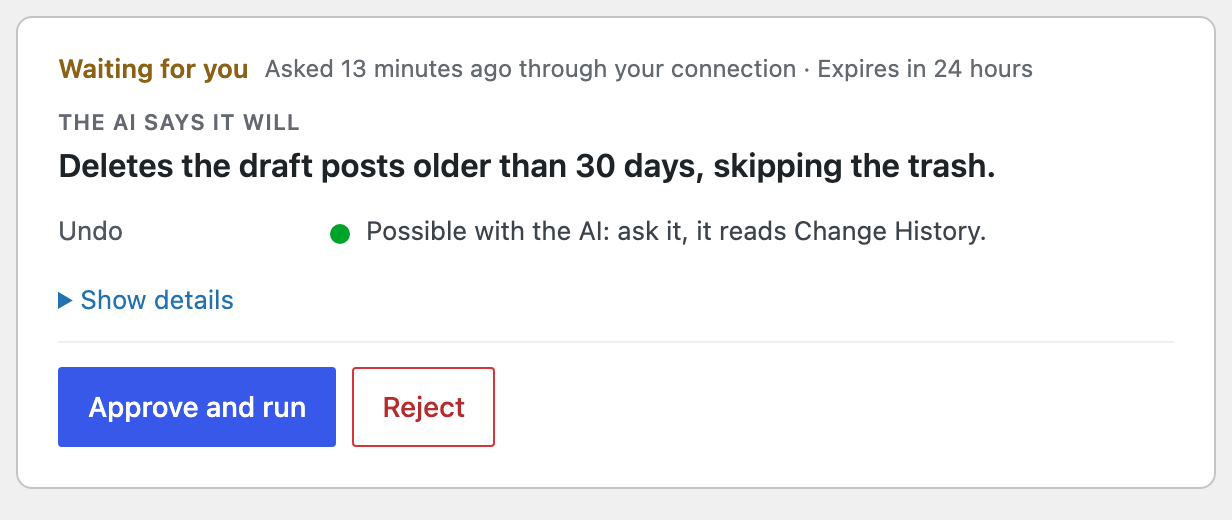
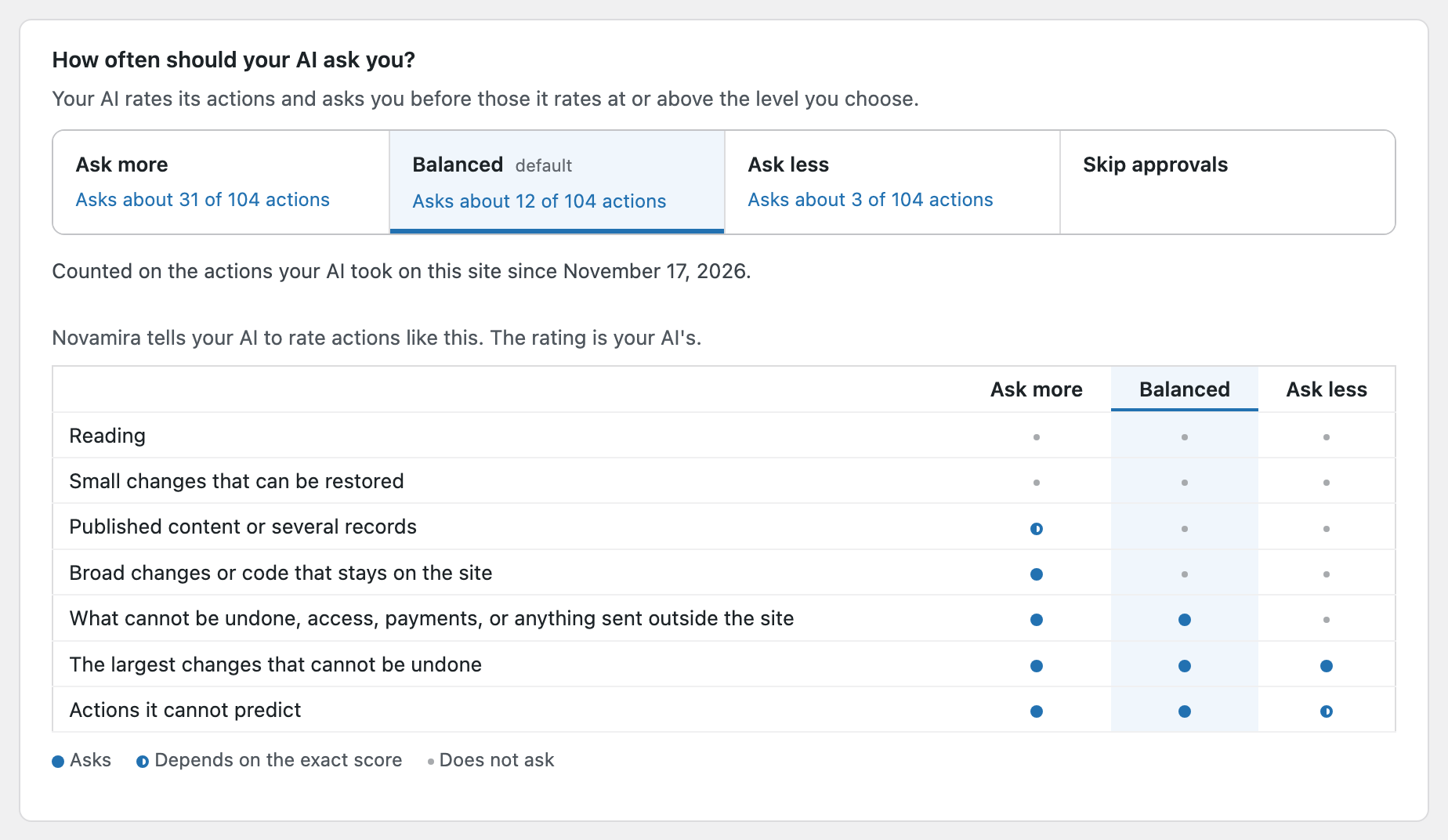
Before an action runs, two things assess it: the AI, which also explains what it will do, and an automatic check of the code, which does not use AI. The higher of the two ratings counts: if it reaches the level you chose, the action stops and you decide. The scale is meant to flag the important actions that WordPress does not let you recover from the dashboard, that is without the trash, revisions or reactivation. Some actions always ask for confirmation, and you choose how involved you want to be. Approvals cover the actions of Novamira, Novamira Pro and other plugins. If you prefer, you can skip them.
Your site, your rules
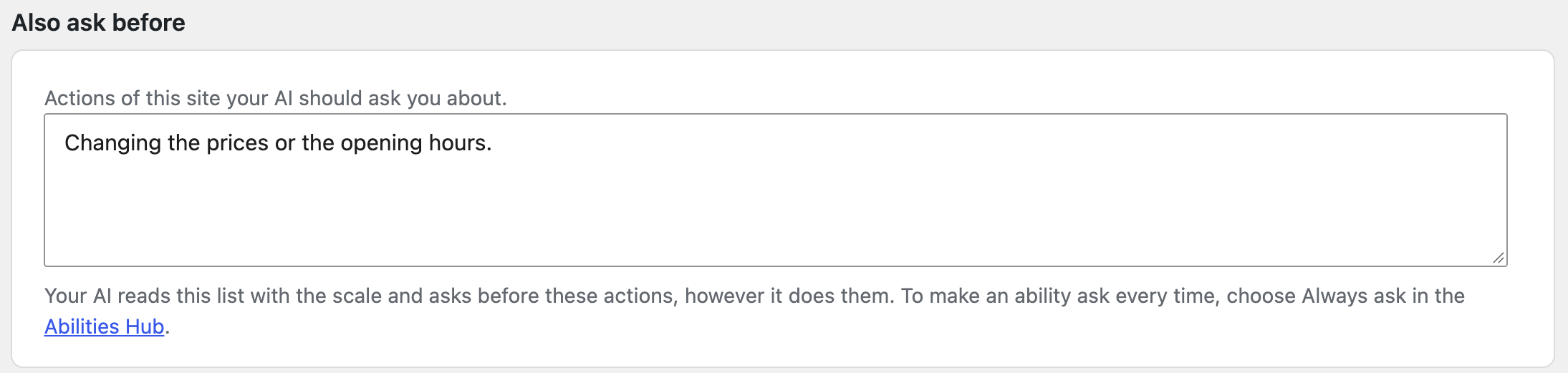
Every site has its own delicate actions. In the Abilities Hub you choose, ability by ability, whether it follows your level, always asks or never asks; the abilities that run code or change files can never be set to never ask. Your AI is told which abilities always ask, so it treats code with the same effect the same way. And in the settings you can list other actions of your site to ask before, in your own words: your AI is told to ask before them however it does them.
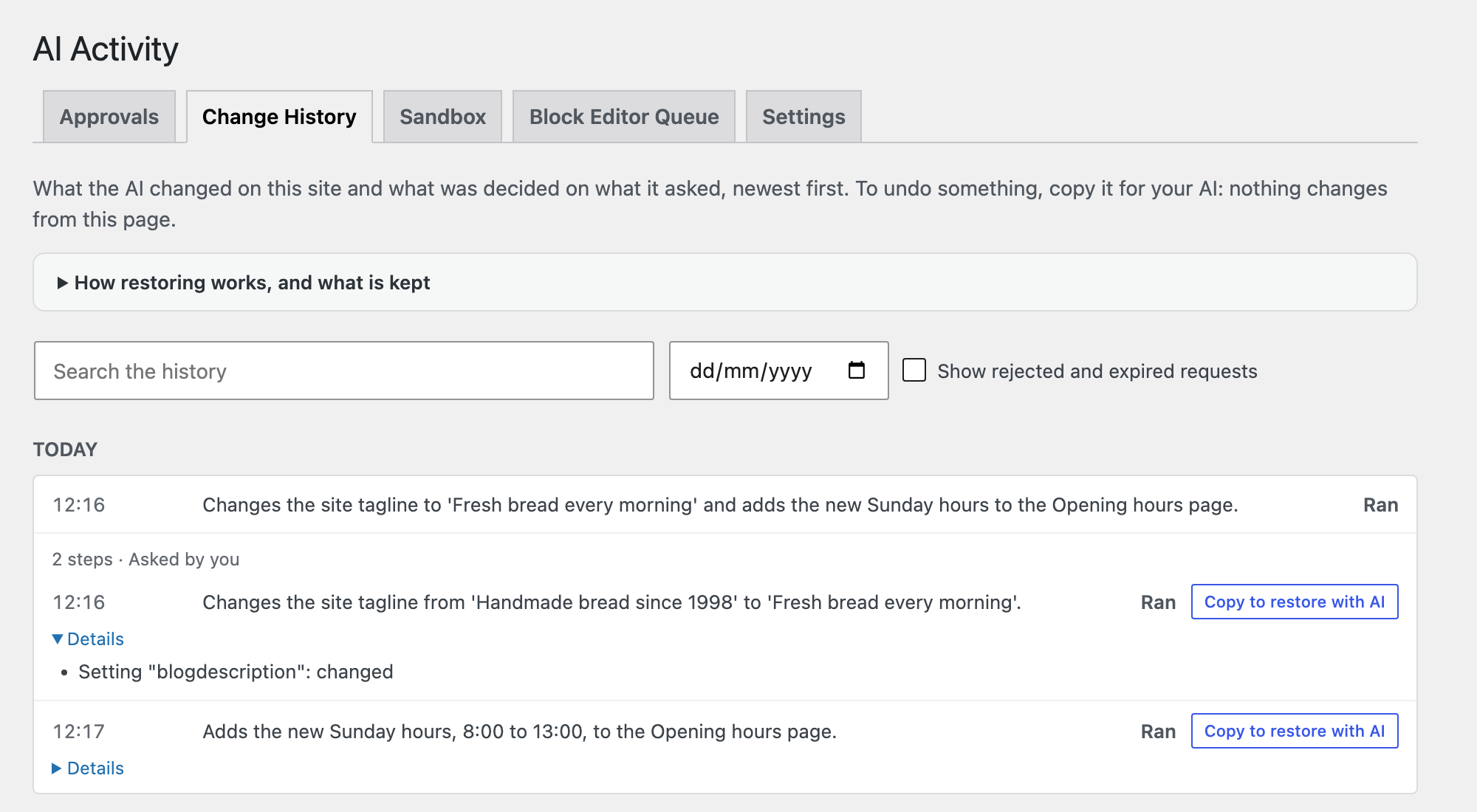
AI change history
An instant backup of the site before every AI action is not possible. That is why the history keeps track of the changes the AI makes to the database and, when it can, of the previous value. When it cannot save it, it tells you. If something goes wrong, you can ask the AI to put things back: it is not an exact return to the previous state, but a new change made from that information.
Emails on hold
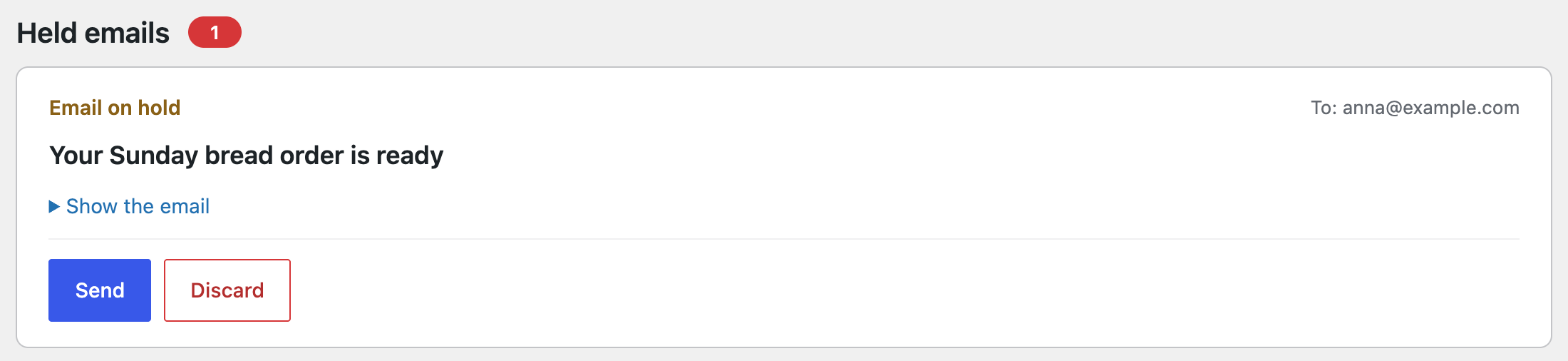
While the AI works, emails sent through WordPress wait until you send them. You can turn this off in the settings, though we suggest keeping it on.
Novamira Pro v2
Novamira Pro is ready for production with Novamira v2 too. The actions of its specializations follow your approvals and appear in the AI change history, and its read abilities run without asking. It is included in every active license, lifetime licenses too. Update both plugins to have them work together.
Novamira v2 and Novamira Pro v2 roll out gradually: the update reaches sites a few at a time, so if you do not see it yet, it is on its way. If you prefer not to wait, download Novamira from novamira.ai, and Novamira Pro from your account: direct downloads are not part of the gradual rollout.
Novamira CLI and Novamira HQ get updates too, so they work better with Novamira v2.
What it does not do
Approvals and the AI change history help you follow and restore what your AI does. They do not catch everything, and they do not judge whether the result is what you wanted. They do not replace a backup. Staging is still good practice, as it was long before AI, and now it is your choice.
Two questions to ask any tool, ours included
If the AI makes a mistake, what can I recover? What WordPress recovers from the dashboard, such as the trash and revisions, plus the database changes the history recorded with their previous value. Emails that have left the site, payments and calls to other services cannot be recovered. You are the best judge of what consequences this can create.
Who decides before an important action runs? You, when the AI or the code check asks for confirmation. The AI and an automatic code check assess the AI’s actions, and when the higher rating reaches the level you chose, the action waits for you.
Your feedback
What Novamira recognises, and how much it counts, may change in future versions as we learn from how you use it. Tell us what should ask, or what asks too often.