
You choose when your AI asks.
Your AI rates each action, and Novamira raises the rating of some actions it recognises in the code. At or above your level, the action waits for your approval.
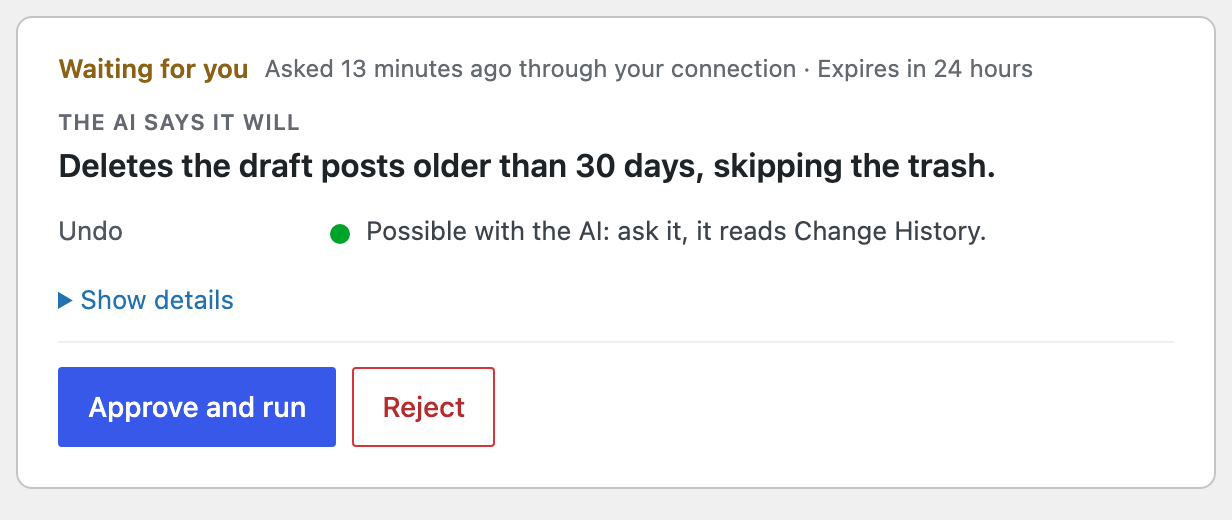
How approvals work.
Before an action, your AI rates how much it deserves a look, following a scale Novamira gives it. Novamira also raises the rating of some actions it recognises in the code, such as deleting content, installing plugins, WooCommerce refunds made through WooCommerce's standard functions, or sending data to an address not approved yet. The higher rating counts. At or above the level you choose, the action waits under Novamira → AI Activity until a person approves or rejects it.
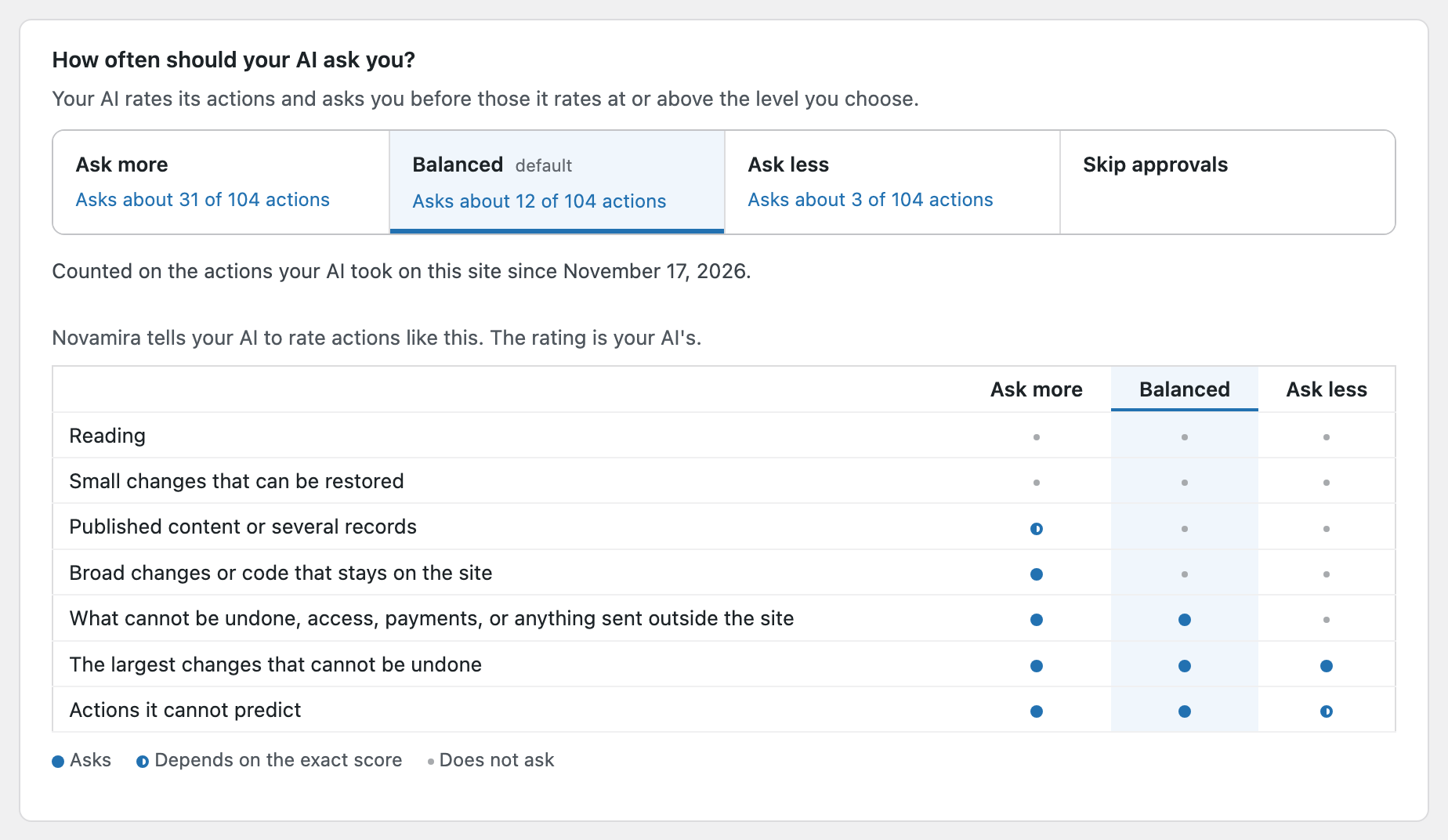
How often should your AI ask you?
Your AI rates its actions and asks you before those it rates at or above the level you choose.
- Three levels. Ask more, Balanced or Ask less. Every site starts on Balanced, and you can also skip approvals.
- Ability by ability. In the Abilities Hub you can make any ability always ask, those of other plugins included.
- Your own actions. In the settings you can list, in your own words, other actions of your site your AI should ask before.
- Only administrators approve, from AI Activity in Novamira.
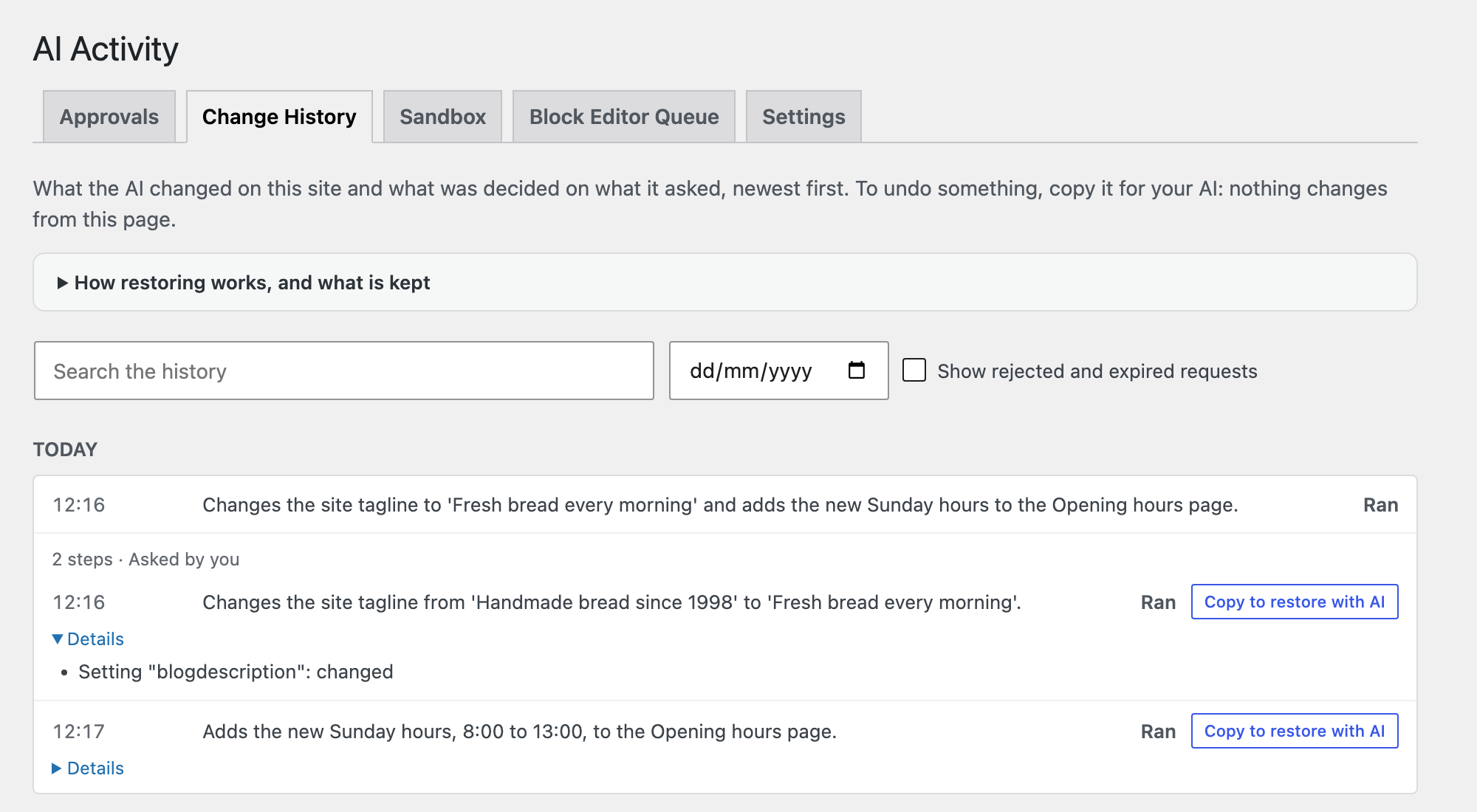
What you can restore.
The AI change history records the database changes your AI makes, with their previous values when it can, for 30 days. To restore something, ask your AI: it reads the history and can make a new change that puts things back. It is not an exact rollback. With the default settings, emails sent through WordPress while the AI works wait for you to send or discard them.
What to keep in mind.
- Your AI rates every action, so use a capable AI model and client. Novamira's check adds to that rating for the actions it recognises, and it recognises specific ways of doing them: a refund through a custom shop, for example, is rated by your AI alone.
- Other plugins' abilities are rated by your AI from their description: Novamira does not check their code.
- Files, emails already sent, requests to other services and, if your site sells online, payments are not in the history.
- Approvals do not judge whether the result is what you wanted.
This is why a backup stays necessary.
Made to catch your AI's mistakes.
Approvals are designed to catch the mistakes of an AI working for you. They are not designed to stop an AI, or a person, that is trying to get around them.
They rely on your AI's judgement: use a capable AI model and client, and keep backups.
Your WordPress. Your AI.
Nothing in between.
Free and open source. Built for WordPress 6.9+.