
Add your sites
There are two ways to bring a site into Novamira HQ, and they end up in the same list.
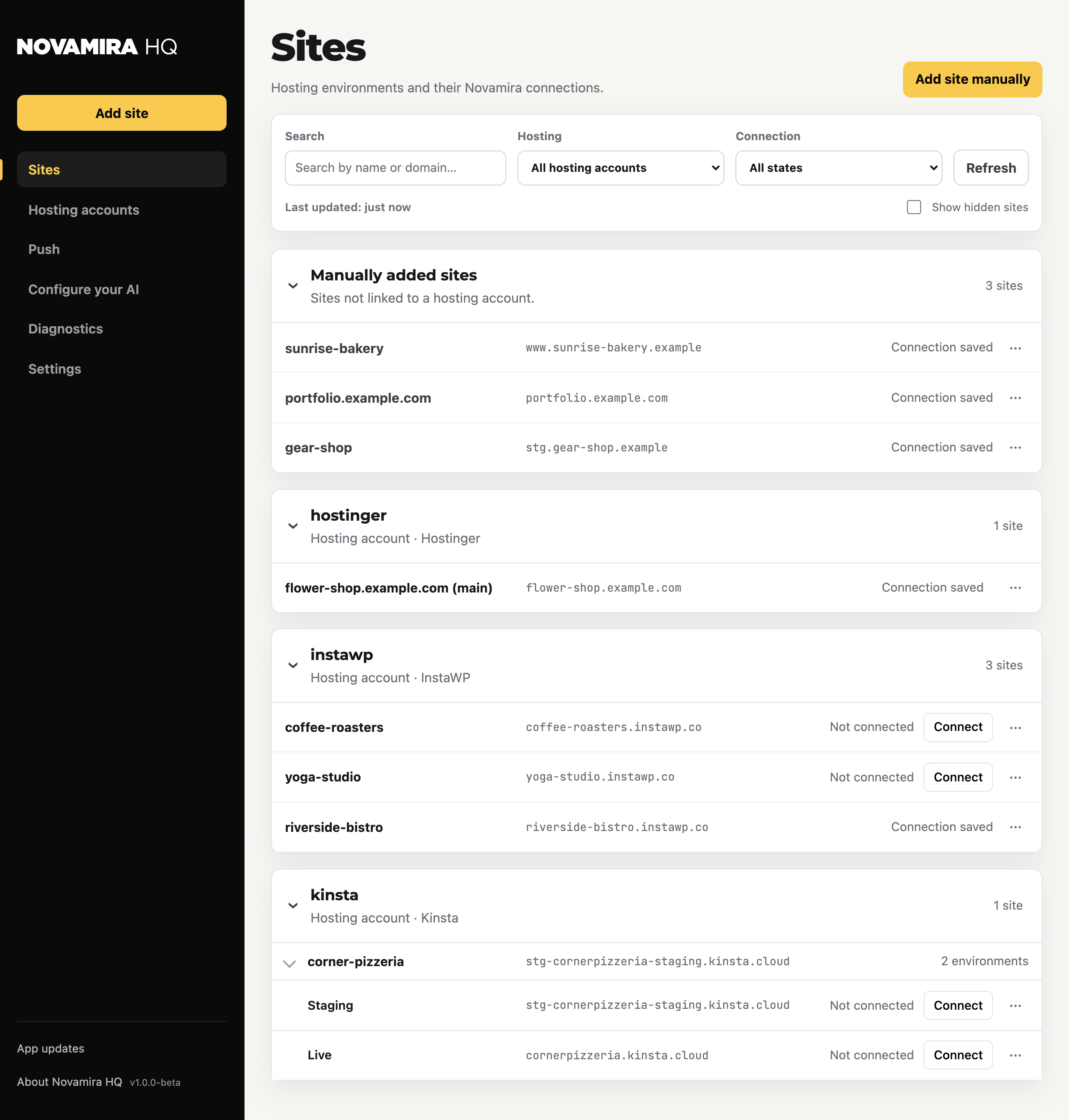
From a hosting account
Connect a hosting account and every site in that account shows up, grouped under the account, with its environments where the hosting provides them. See Hosting accounts and the page for your hosting company.
Manually, by URL
Use Add site manually for a site that lives anywhere else. A manually added site needs the Novamira plugin installed the usual way first; Novamira HQ then connects to it by URL.
Connection states
- Not connected: the site is listed but has no working Novamira connection yet. Use Connect.
- Connection saved: Novamira HQ holds a saved connection for the site, ready for your AI.
- Connected: the connection is live right now.
The site menu
Each row has a menu with the actions that apply to it: Install Novamira Pro, Rename, Disconnect, and Hide from list (with a Show hidden sites toggle in the filters). Sites from a hosting account also expose Hosting tools & backups: create a backup, restore one, and view environment details, where the hosting supports it.
The list has search and filters by hosting account and connection state, and a Refresh button that re-reads everything from your hosting accounts.