
Kinsta and Novamira HQ
Connect your Kinsta account and every site in it appears in Novamira HQ, ready for your AI.
Connect
Novamira HQ asks for a Kinsta API key. Create one in MyKinsta under Company settings → API Keys. The company ID is optional: leave it blank and Novamira HQ detects it during validation.
Your credentials are stored only on your computer. Novamira HQ talks to the Kinsta API directly from your machine; nothing passes through a server of ours.
What Novamira HQ can do on Kinsta
- Discover every site in the account, with its environments
- Install and set up the Novamira plugin on a site that does not have it yet
- Create and restore backups
- Move staging to live
Push staging to live
On Kinsta, Novamira HQ can move a staging environment to live from the Push page. A push copies the parts you select:
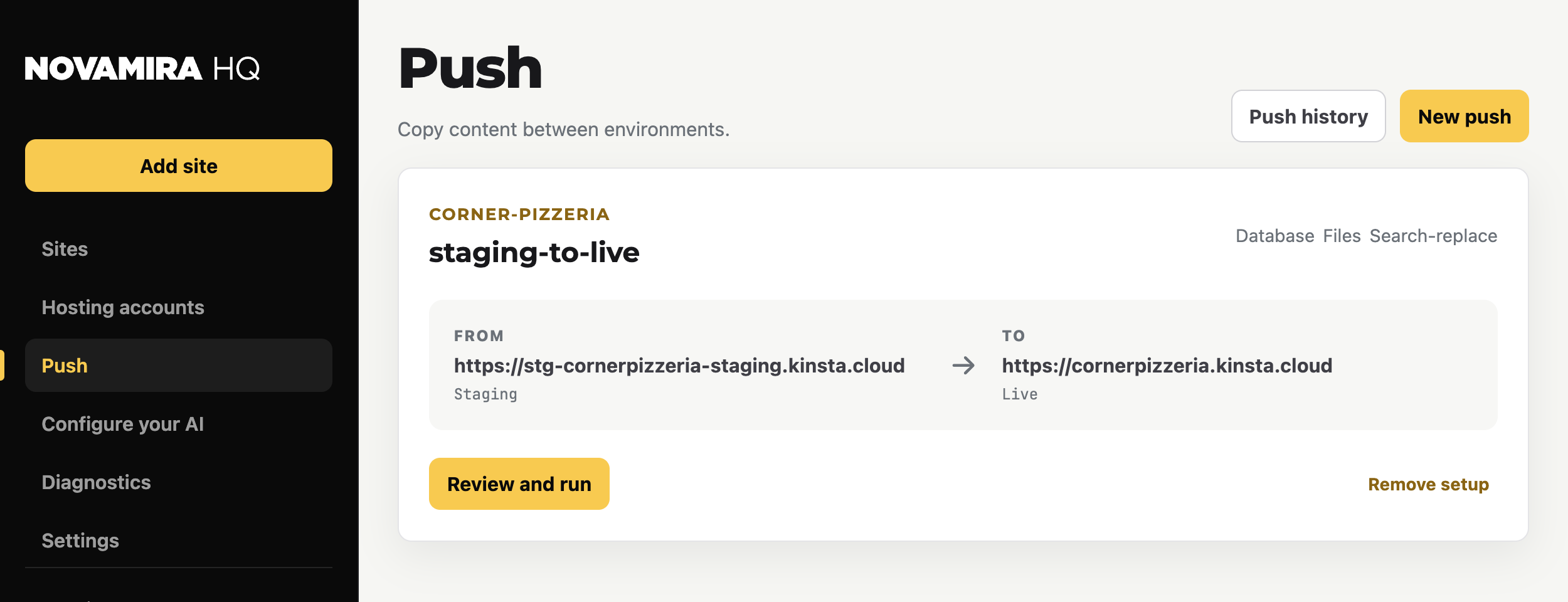
- Database, with an automatic search-replace of the environment URLs
- Files
Review the source and target before running. A push overwrites what is on the target, and what gets overwritten is gone: create a backup first, and keep your own independent backups too. Every push is recorded in the push history.